Wedding planning is a logistical operation disguised as a celebration. Pinterest makes it easy to collect inspiration for florals, dresses, venues, tablescapes, signage, invitations, hair, makeup, cakes, and photo poses. The problem is that inspiration scales faster than decisions. You can end up with hundreds of pins and still feel unsure about what to book, what to buy, and what you can actually afford.
The difference between a fun wedding board and a useful wedding plan is context. A photo of centerpieces does not include the quote, the minimum spend, the availability date, or whether the design is realistic for your venue. A pin of a dress does not tell you whether it comes in your size, how long alterations take, or whether it fits your budget. If you leave these details in your head or scattered across screenshots, planning becomes stressful and repetitive.
The solution is simple and scalable: keep your logistics attached to your visuals. Add notes to track vendor outreach and quotes. Add budget tags that force realistic choices. Build shortlists so you stop scrolling and start deciding. This article shows a structured Pinterest wedding workflow that keeps you organized without killing the joy.
Why Pinterest alone is not enough for wedding planning
Pinterest boards are excellent for discovery. They are not designed for project management. Weddings require timelines, budgets, vendor coordination, and decision tracking. When your planning lives in multiple places, you lose time and you lose confidence.
Common pain points include:
- You save hundreds of options but cannot remember which ones are within budget.
- You forget which vendor you contacted, when you followed up, and what they quoted.
- You lose the final selections because everything looks equally good on the board.
- You repeat research because the details were never captured next to the pin.
Notes and tags fix these issues by turning your board into a working system: inspiration plus constraints plus status.
Start with the right mindset: boards for inspiration, notes for decisions
Use boards to collect ideas broadly, but do not expect a board to become a plan by itself. Planning happens when you attach decision data to each candidate option. That data includes price, availability, vendor contact, and whether it is shortlisted.
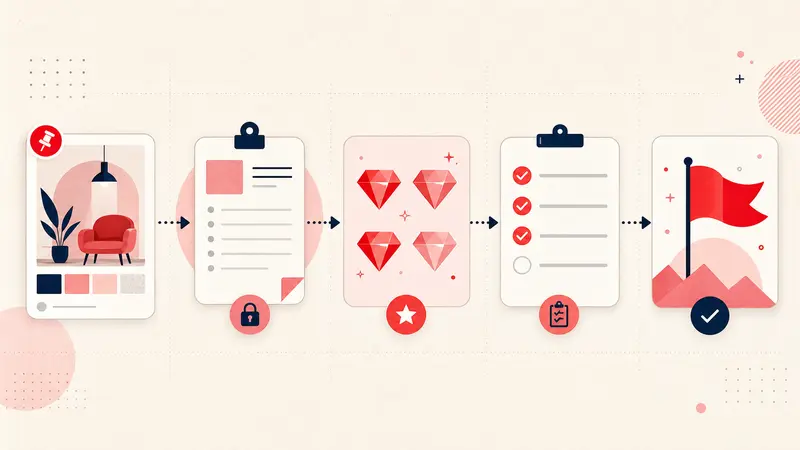
A wedding workflow becomes dramatically easier when you separate pins into three states:
- Inspiration: anything you like, no commitment
- Shortlist: realistic candidates you would actually choose
- Selected: the final choice or the booked vendor
This prevents the most common problem in wedding planning: endless browsing that never turns into decisions.
Budget tagging: make your Pinterest board reality based
Weddings get expensive because small items add up and because people make decisions emotionally without tracking costs. Pinterest can amplify this because it surfaces aspirational content. Budget tags force realism. They help you filter quickly and keep your vision aligned with your actual numbers.
Use simple budget tags that match your planning style. Examples:
- Under100
- Under500
- Splurge
- DIY
- Rental
- QuoteNeeded
Budget tags are most useful for categories that spiral quickly: florals, rentals, stationery, signage, favors, and attire. If you tag consistently, you can instantly answer questions like “show me centerpiece ideas that are DIY or under 100” or “show me splurge photography styles that are worth it.”
You can also add one line of budget context in your note:
Budget: target 800, cap 1200 for florals | Priority: bridal bouquet and ceremony arch, keep tables simple
This makes the budget decision explicit and prevents drift.
Vendor tracking: keep outreach and quotes attached to the pin
Vendor coordination is where most planning stress comes from. You contact multiple vendors, wait for replies, compare packages, and try to remember who is available on your date. If that information lives in your email only, you end up searching your inbox repeatedly.
Instead, use notes on relevant pins to track the vendor pipeline. This is especially useful for:
- venues
- photographers and videographers
- florists
- caterers and bakeries
- bands and DJs
- hair and makeup artists
- planners and coordinators
- rental companies
A practical vendor tracking note template:
Vendor: Name | Contact: email or IG | Date: Sept 20 | Outreach: emailed 2/14 | Follow up: 2/20 | Quote: 4500 | Includes: 8 hours, second shooter | Notes: loves candid, edit style warm | Status: awaiting reply
This keeps everything in one place. When you open a pin in a meeting with your partner or planner, you see the real decision data instantly.
Shortlists: the only way to stop infinite scrolling
The fastest way to reduce overwhelm is to build shortlists. A shortlist is a small set of options you are genuinely willing to choose from. It is not a gallery. It is a decision set.
You can shortlist using tags. For example:
- ShortlistFlorals
- ShortlistDress
- ShortlistVenue
- ShortlistPhotography
The rule is to keep each shortlist small. Five to ten options max per category. If it is larger, it is not a shortlist. It is still browsing.
In your note, record why it is shortlisted. That single sentence prevents decision confusion later:
Shortlist because: fits garden venue, seasonal flowers, realistic budget with simple tables
Decision notes: capture what matters most for each category
Pinterest pins look similar within a category. Notes are where you capture decision drivers. Here are examples of what to record for common wedding categories.
Florals
- seasonal availability
- overall style direction, like airy, structured, wildflower
- priority items, like bouquet and ceremony piece
- what you are willing to DIY
Venue
- capacity and layout constraints
- rain plan options
- vendor restrictions, like preferred caterers
- noise or time curfews
Photography
- editing style notes
- must have shots
- coverage hours and second shooter needs
- deliverables and timeline
Attire
- size and fit notes
- alteration timeline
- comfort factors, like dancing and weather
- accessory pairing ideas
These notes are not about writing more. They are about writing the one or two constraints that prevent a bad decision.
Build a wedding planning tag system that matches real work
A practical tag system keeps you organized across months of planning. Use tags that reflect how decisions progress.
Useful wedding planning tag families:
- Status: inspiration, shortlist, selected, booked, ordered
- Budget: under100, under500, splurge, DIY
- Timing: must book now, later, seasonal
- Category: florals, venue, photo, attire, decor, stationery
- Theme cues: color palette, material cues, vibe notes
With these tags, you can search and filter like a planner. You can pull up “shortlist plus under500 decor” or “photo booked items” without scanning hundreds of pins.
How Notestopin keeps wedding logistics attached to your visuals
Notestopin is designed for this exact problem. It lets you add private notes to any pin, tag them, and search your saves later. That means your inspiration stays visual, but your planning stays structured.
Instead of tracking vendor outreach in scattered messages and spreadsheets, you can keep the key pipeline data next to the pin that inspired the conversation. Instead of forgetting which options are realistic, you tag by budget and status. Instead of endless scrolling, you filter shortlists and make decisions.
Conclusion: make Pinterest a planning tool, not a stress amplifier
Pinterest can either simplify wedding planning or amplify overwhelm. The difference is whether you attach context to your saves. Budget tags keep ideas realistic. Vendor notes keep outreach and quotes organized. Shortlists turn browsing into decisions. Together, these habits let you plan with clarity while still enjoying the creative part.
Start with one category this week, like florals or photography. Add budget tags to your top pins. Create a shortlist tag and reduce it to ten options. Then add vendor tracking notes for the finalists. Once you experience how much time this saves, you will naturally expand the workflow across the rest of your wedding boards.
Keep building your Pinterest system
Continue with the guide that matches your next step:

Get the Notestopin Chrome extension
Add private notes to any Pin, tag them, and search your saves later.
Add to Chrome