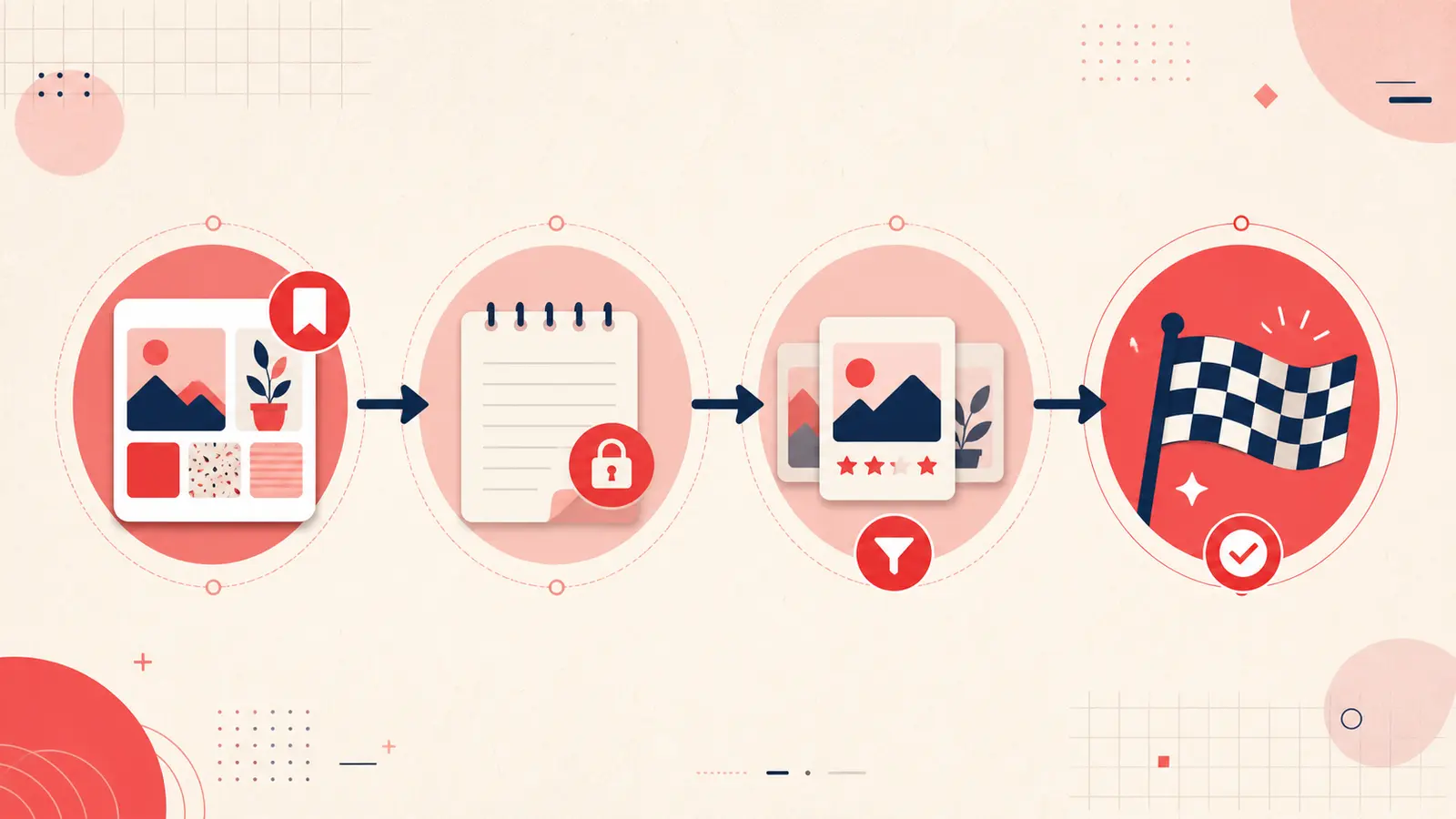
Most people use Pinterest in one mode: Save. They scroll, they collect, and they tell themselves they will come back later. Later rarely happens. The board grows, the context fades, and the pin becomes another piece of digital clutter. Pinterest is not the problem. The missing piece is a workflow that moves ideas toward action.
If you want Pinterest to be useful, you need a simple funnel. Save broadly. Add context immediately. Promote the best ideas into a shortlist. Then execute and archive. This method keeps inspiration lightweight while turning your most important pins into plans.
This article breaks down a practical system that works for home projects, recipes, fashion, travel, research, and professional creative work. It is designed for speed, clarity, and follow through. You do not need complex tools. You need consistent steps that you repeat.
Why saving alone becomes digital hoarding
Saving feels productive because it captures possibility. But without a next step, saving is only acquisition. When you save hundreds of pins with no structure, you create a backlog you cannot process. The backlog produces two outcomes: you stop revisiting old boards, or you keep scrolling because it is easier than deciding.
The core issue is that a pin is usually incomplete. It shows an image, not your intent. It does not record why you saved it, what constraints you have, or what you plan to do next. When you return weeks later, you have to reconstruct meaning. That reconstruction costs time and mental energy, so you avoid it.
A workflow solves this. It converts passive saving into active planning. It also creates a system that scales as your library grows.
The ultimate Pinterest workflow: Save, Note, Shortlist, Do
This workflow is a funnel. Each step reduces volume and increases clarity. Most pins stay at the top. Only a small number move down to execution. That is how you keep Pinterest useful without turning it into a second job.
Step 1: Save broad
The first step is simple: save freely. Cast a wide net. Save anything that catches your eye without trying to decide immediately. This keeps inspiration fast and prevents perfectionism from blocking capture.
But there is one rule. Save into broad boards, not overly specific ones. Boards should be buckets, not a detailed filing system. For example, use boards like Home, Recipes, Outfits, Travel, Work Ideas. Avoid boards like “Blue Vintage Ceramic Lamps for Guest Room.” That is a search query, not a container.
Saving broad reduces friction and keeps you moving. The filtering happens later.
Step 2: Note context
This is where most people stop, and it is where the value is created. Immediately after saving a pin you might use, add a short note. The note should capture why you saved it and what matters about it. You are freezing your intent while it is still fresh.
Your note can be one sentence. It just needs to be specific. Examples:
- “Love the texture and warm tone, want this exact fabric feel.”
- “Great small space layout, copy the storage wall concept.”
- “Recipe looks fast, note: bake 350F for 20 minutes, add lemon at end.”
- “Outfit idea for work, pair with black boots and camel coat.”
If you want a consistent template, use this quick format:
Why: | Must keep: | Avoid: | Constraints: | Next step:
Notes are where you store constraints that an image cannot provide: dimensions, budget range, vendor name, ingredient swaps, timeline, and decision criteria. These details are what prevent re research later.
Step 3: Shortlist with tagging
A shortlist is the bridge between inspiration and decision. It is a small set of pins you are seriously considering. Without a shortlist, everything feels equally important and you keep browsing. With a shortlist, you have a decision set.
The simplest method is a single tag: shortlist. You can also use tags like active, this month, or in progress. The key is consistency.
Rules for shortlists:
- Keep the shortlist small. Five to fifteen items per category is enough.
- Only shortlist pins that are realistic within your constraints.
- Add one line in the note explaining why it made the shortlist.
This transforms your workflow. Instead of scrolling through thousands of pins, you filter down to your shortlist and choose from there.
If you want more control, create shortlist tags by category:
- Shortlist kitchen
- Shortlist lighting
- Shortlist dinners
- Shortlist travel
Category shortlists are especially useful if you are planning multiple projects at once.
Step 4: Do execution
Execution is where Pinterest becomes real. The purpose of the first three steps is to make step four easier. When you have notes and a shortlist, you already know what matters and what to do next.
To execute, convert the note into a simple plan. Examples:
- Home project: list measurements, materials, timeline, and the first purchase or task.
- Recipe: write substitutions, cook time, and a rating after you cook it.
- Outfit: list what you already own and what you need to buy.
- Travel: record opening hours, reservations needed, and a day plan.
After you complete the task, update status. Change the tag from shortlist or active to completed or archive. Then add a final note: what you did, what you learned, and whether you would repeat it.
If you can, attach a result photo or a brief result summary. This closes the loop. It turns Pinterest into a personal record of outcomes, not just intentions.
The loop that makes the system compound
The workflow works because it is iterative. Every time you execute, your notes become smarter. Your shortlist criteria improve. Your library becomes more tailored to your real preferences and constraints. Over time, you spend less time browsing and more time using what you saved.
This is the compounding effect: your Pinterest becomes a knowledge base, not a feed.
How Notestopin supports Save, Note, Shortlist, Do
Notestopin is designed to make the workflow frictionless. You can add private notes to any pin, tag them, and search your saves later. That gives you the missing layers Pinterest boards alone do not provide: context and retrieval.
The ability to tag pins with shortlist or active status is what makes step three practical at scale. The ability to search your notes and tags is what makes a large library usable. And the ability to keep your decision history attached to each pin is what makes your future self faster.
A simple weekly routine to keep things moving
Workflows fail without cadence. The simplest maintenance routine is weekly:
- Promote three pins into shortlist based on what matters this week.
- Choose one pin to execute.
- Archive or delete anything that no longer matches your goals.
This takes ten minutes and prevents your boards from turning into an endless backlog.
Conclusion: turn Pinterest into a productivity engine
Saving is easy. Doing is what matters. The Save, Note, Shortlist, Do workflow turns Pinterest from passive collecting into active execution. Save broadly to capture inspiration. Add notes to preserve intent and constraints. Shortlist with tags to focus decisions. Execute, then archive with lessons learned.
If you apply this to one board for the next month, you will feel the difference immediately. You will scroll less, decide faster, and actually complete the projects you keep saving for someday.
Keep building your Pinterest system
Continue with the guide that matches your next step:

Get the Notestopin Chrome extension
Add private notes to any Pin, tag them, and search your saves later.
Add to Chrome