Interior designers do not work in vibes. They work in specifications. A sofa is not just a sofa. It is a fixed width that must clear a doorway. It has a seat depth that determines comfort. It uses a fabric that behaves differently under sunlight, pets, and daily use. It has a lead time that can reshape an entire project schedule. It comes with a real price that needs to fit a budget that is already balancing flooring, paint, lighting, and labor.
Pinterest is excellent at helping designers collect inspiration quickly. The issue is that inspiration pins rarely include the information you need when you are making decisions with a client or coordinating with vendors. A beautiful image does not answer practical questions like these. Will it fit the wall. Is the scale correct for the room. What is the actual material. How much does it cost. What is the delivery window. Are there alternatives if it is out of stock.
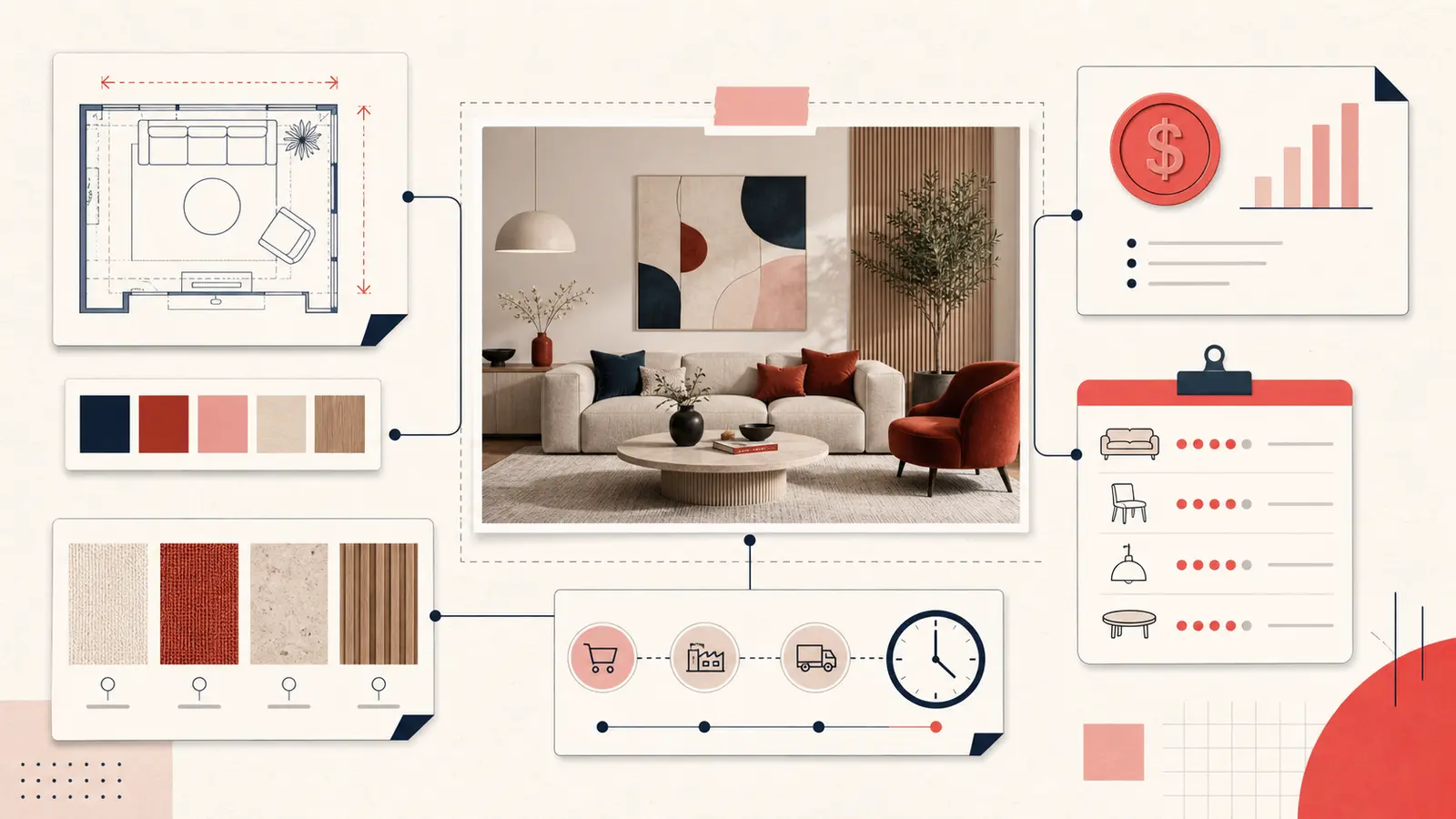
The solution is to annotate your pins like a professional. Add dimensions, materials, finish notes, vendor details, and budget guidance directly alongside the pin. When you do that consistently, your Pinterest boards stop being a moodboard and become a decision system that supports procurement, client approvals, and site execution.
Why annotating pins matters in real projects
Design projects break down when information is missing at the moment it is needed. A client asks whether a dining table will seat eight comfortably, and you have to guess. A contractor asks for the exact tile thickness and you only have a photo. A vendor asks for the finish code and you cannot find it. These small delays compound and become schedule risk.
Annotating pins solves three professional problems at once. It creates accuracy, traceability, and speed. Accuracy means you can validate fit and performance. Traceability means you can defend decisions and locate sources. Speed means you reduce back and forth and keep projects moving.
It also reduces the most common form of rework in interiors. The wrong item is ordered because the team remembered the concept but not the specification. Notes prevent expensive mistakes.
The Spec Sheet approach
The fastest way to transform a pin into an actionable asset is to treat every important pin like a mini spec sheet. You do not need to write a full schedule for every image. You only need to capture the fields that drive decisions.
A practical mini spec sheet typically includes:
- Dimensions: width, depth, height, and any critical clearances
- Material: fabric, wood species, metal, stone, composite, and key properties
- Finish: stain name, paint code, sheen, plating, grout color, edge profile
- Vendor: brand, retailer, fabricator, or marketplace listing source
- Price: target price, range, and whether it is trade or retail
- Lead time: availability, production time, shipping time, and install window
- Alternatives: two comparable options in case of stock issues
A compact format makes this easy to scan during calls or site visits. For example:
Dims: 84w x 30d x 32h | Seat: 22d x 17h | Material: Belgian linen, performance finish | Color: Oat | Vendor: RH | Price: target 2400 | Lead: 8 weeks | Alt: Crate and Barrel Axis
Once your pins carry this level of detail, you can answer client questions in seconds and you can brief a procurement assistant without rewriting the same information in multiple places.
What to capture first: dimensions that prevent mistakes
Dimensions are the highest leverage annotation because they prevent the most costly errors. The ideal practice is to capture both overall dimensions and functional dimensions.
Overall dimensions include width, depth, and height. Functional dimensions vary by item category:
- Sofas and chairs: seat height, seat depth, arm height, overall depth
- Dining tables: table height, top thickness, apron clearance, extension size
- Lighting: fixture diameter, canopy size, drop length, bulb type, wattage limits
- Rugs: exact size, pile height, recommended pad thickness
- Vanities and cabinets: overall width, plumbing clearance, door swing, toe kick
Add quick fit notes that reflect real constraints. Doorway width, elevator limits, stair turns, and hallway clearance matter as much as room scale. A simple line like “check delivery path, 32 inch door” can save weeks.
Materials and finishes: write what affects performance
Many pins include attractive materials, but design execution depends on how those materials behave in real life. Your note should capture performance factors, not just names.
For textiles, record durability and maintenance. Is it performance treated. Is it washable. Is it pet friendly. How does it handle sunlight. If you have a client with kids or pets, a “looks great but not practical” note is valuable.
For hard surfaces, record the finish and the properties that matter in use. For stone, note whether it is sealed, honed, or polished. For wood, note whether it is solid or veneer, the stain tone, and whether it is wire brushed or smooth. For metal, note the plating and whether it fingerprints easily.
A good rule is this. If a material choice can change cost, lead time, maintenance, or longevity, write it down.
Budget annotations: turn inspiration into a realistic selection
Designers often collect aspirational references. That is useful, but it becomes dangerous when a client assumes every image is within budget. A pin without price context invites misalignment.
Add one of these budget indicators to each serious candidate:
- Target price: the number you want to hit
- Acceptable range: a low and high boundary
- Budget tier: investment, mid, value
- Trade status: trade only, retail, or requires account
Also record what is included. Shipping, installation, and hardware can change totals. For example, a lighting fixture might be priced without bulbs or without professional installation.
A practical annotation looks like this:
Budget: target 900, cap 1200 | Includes: shade and canopy | Excludes: install | Note: allow electrician
This keeps client expectations realistic and helps you prioritize items that meet the brief.
Vendor and sourcing notes: make procurement predictable
Sourcing becomes complex quickly. An image might circulate across multiple sellers, and product names can vary. If you do not record the vendor and the identifying details, you may struggle to find the exact item later.
Capture vendor basics:
- Brand and collection name
- SKU or product code
- Link to the product page or spec document
- Trade contact or showroom details
- Shipping region and constraints
If you regularly source vintage pieces, add condition notes and restoration requirements. If you source custom, add minimum order quantities and sample lead times.
Lead times and scheduling: annotate the timeline impact
Lead time is a design constraint, not an afterthought. A pin might be perfect, but if it requires a twelve week lead time and your install is in six weeks, it is not a viable selection unless the schedule can move.
Your note should include:
- Current availability: in stock, backorder, made to order
- Production time: if custom or upholstered
- Shipping time: local, freight, white glove
- Install dependency: needs rough in, needs blocking, needs electrical
Add a simple schedule alignment line, like “ok for phase two” or “must order by March 10.” Those short statements drive action.
Tagging for designers: build filters that match your workflow
Tags are how you retrieve decisions quickly across multiple projects. The best tags reflect how a studio works, not generic categories.
Use a consistent tag set across boards:
- Project tags: client name, room name, phase
- Status tags: shortlist, pending quote, approved, ordered, installed
- Budget tags: within budget, stretch, over budget
- Timing tags: urgent, phase one, phase two
- Risk tags: long lead, fragile, custom, needs sample
With this system, a single search like “shortlist approved dining” becomes a working list for procurement. It also makes it easier to brief assistants and coordinate with vendors.
Real examples: from pin to client ready selection
Sofa selection
A client likes a pin of a sofa, but you need to confirm scale, comfort, and budget.
Room: living | Dims: 84w x 30d x 32h | Seat: 22d x 17h | Fabric: performance linen | Color: oatmeal | Vendor: RH | Price: target 2400 | Lead: 8 weeks | Delivery: check 32 inch door | Alt: Article Sven 84, Crate and Barrel Axis
This note answers fit questions, identifies the material, and provides alternatives if the lead time changes.
Tile and bath finish
A tile pin is useless without spec details. Add thickness, finish, grout, and slip suitability.
Tile: 4x4 zellige look | Finish: matte | Thickness: 10mm | Grout: warm gray | Use: shower walls, not floor | Vendor: local showroom | Price: range 12 to 18 per sq ft | Lead: sample first, allow 2 weeks
Lighting plan
Lighting pins should include technical constraints so the electrician can execute correctly.
Pendant: 16 inch dia | Drop: adjustable 24 to 60 | Bulb: E26, LED ok | Finish: aged brass | Ceiling: 9 ft | Target hang: 32 above table | Vendor: Rejuvenation | Lead: 3 weeks | Note: verify dimmer compatibility
How to keep notes consistent without wasting time
Consistency matters more than perfection. Use a template and fill the fields that apply. Over time, your notes become a library of decisions and you can reuse past specs as starting points.
A fast template you can copy into notes:
Room: | Dims: | Material: | Finish: | Vendor: | Price: | Lead: | Notes: | Alt:
The goal is to capture the information that prevents delays and mistakes. If you only have sixty seconds, write dimensions, vendor, and a budget range. Add the rest later when the pin enters the shortlist.
How Notestopin supports the spec workflow
Notestopin is designed for exactly this use case. It lets you add private notes to any pin, tag them, and search your saves later. That means your design research stays inside Pinterest, but your professional layer sits on top of it. You get the speed of inspiration with the structure of documentation.
The result is a board that behaves like a working selection set. You can answer client questions quickly, coordinate with vendors confidently, and move from concept to procurement without losing details.
Conclusion: design execution lives in the annotations
Great design requires taste. Successful projects require precision. Annotating Pinterest pins with dimensions, materials, finishes, vendor details, lead time, and budget turns inspiration into a real specification workflow. It keeps client conversations grounded, reduces ordering mistakes, and improves delivery outcomes.
Start with your next shortlist. Add a mini spec note to each candidate. Tag by room, status, and timing. Then review your tagged shortlist before your next client meeting. When your boards carry the details, your work moves faster, your decisions are clearer, and your projects run with fewer surprises.
Keep building your Pinterest system
Continue with the guide that matches your next step:

Get the Notestopin Chrome extension
Add private notes to any Pin, tag them, and search your saves later.
Add to Chrome