Pinterest is one of the most powerful visual discovery platforms in the world. Millions of people use it daily for home decor inspiration, shopping research, recipe planning, travel ideas, and creative projects.
But here’s the problem: Pinterest helps you collect ideas, not think with them.
If you've ever scrolled through your saved pins wondering, “Why did I save this?”, you’ve already discovered the limitation.
This is where the Second Brain methodology changes everything.
What Is a Second Brain?
The Second Brain concept, popularized by Tiago Forte, is a structured system for capturing, organizing, retrieving, and using information. Instead of relying on memory, you build an external system that stores insights so you can apply them later.
The framework follows four core steps:
CODE Framework
- Capture
- Organize
- Distill
- Express
Most people apply this method in note-taking apps. But you can apply it directly to Pinterest, if you add the missing layer: private notes, custom tags, and powerful search.
Step 1: Capture -> Don’t Just Save Pins, Capture Insight
Pinterest excels at visual bookmarking. It does not capture context.
When you save a pin, you usually lose critical information:
- Why you saved it
- Measurements or sizes
- Pricing details
- Comparison notes
- Next action steps
- Recipe substitutions
Without notes, Pinterest boards become visual clutter.
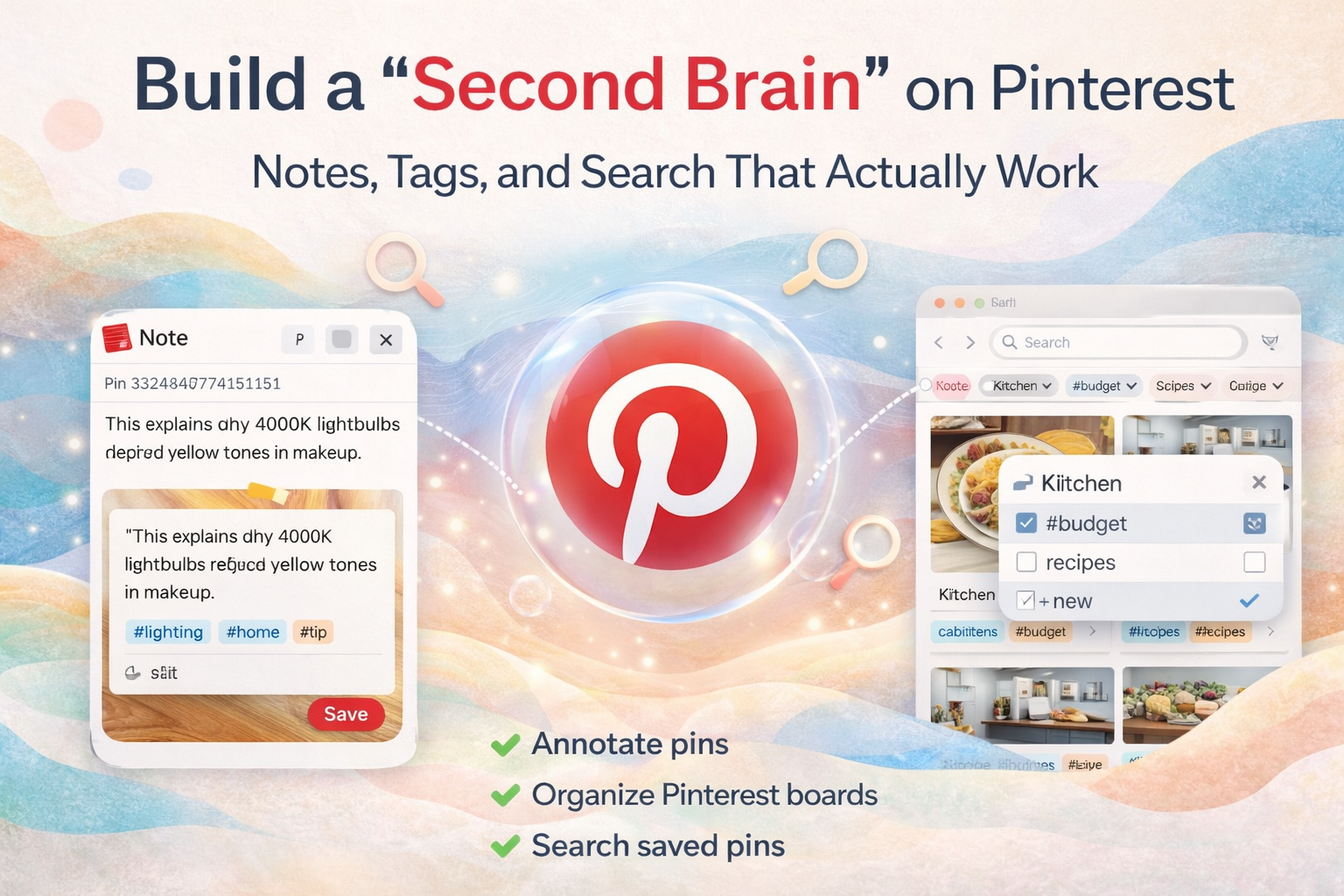
To build a real Pinterest workflow, you must annotate Pinterest pins with insight.
Examples:
- “Cabinets are 36 inches high, fits low ceiling.”
- “Under $1200 budget option.”
- “Use 4000K lighting for makeup mirror.”
- “Swap yogurt for lime crema.”
This transforms Pinterest from inspiration storage into a searchable knowledge system.
Step 2: Organize -> Apply the PARA Method to Pinterest
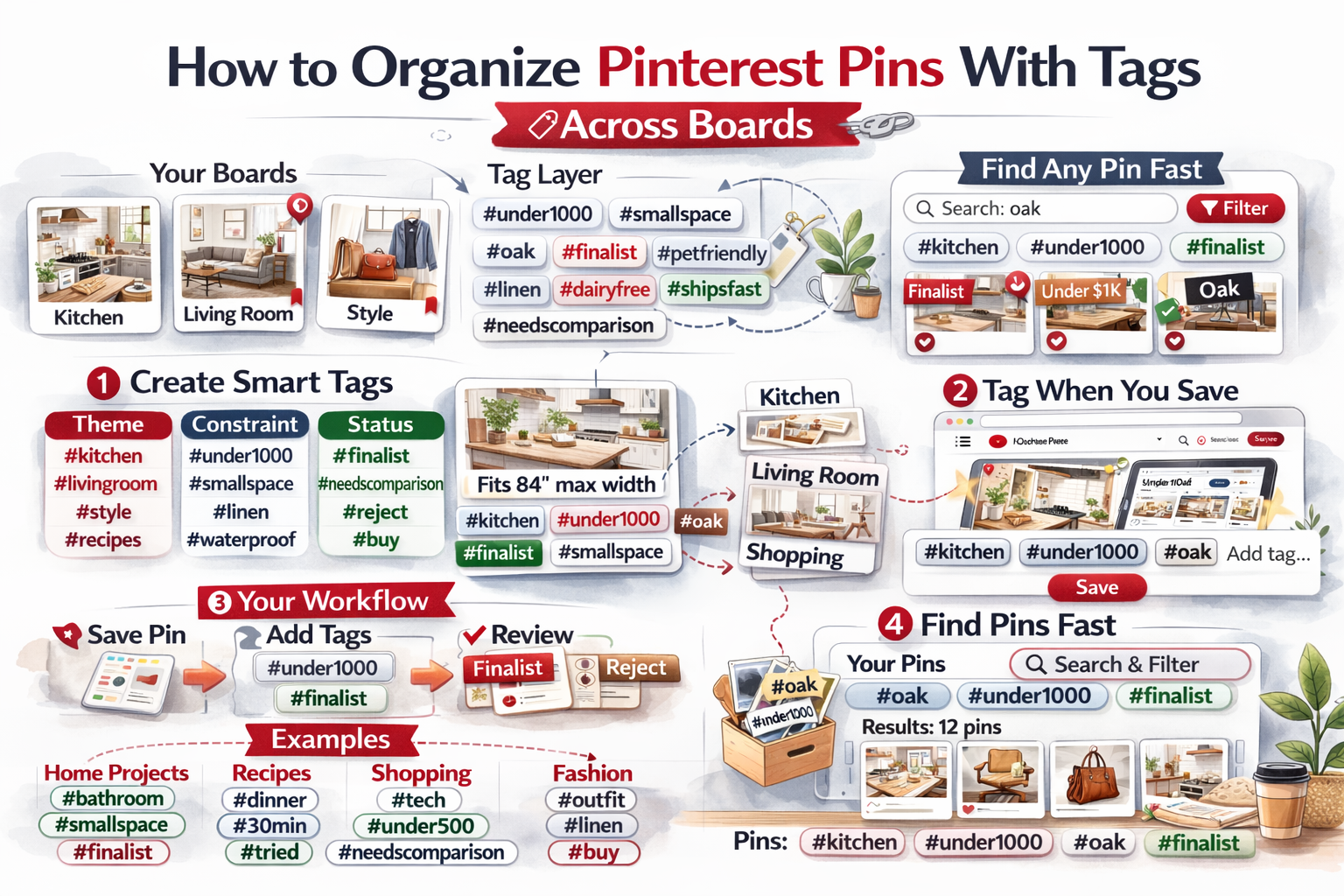
Boards alone are not enough. Pinterest boards are single-category containers. Real organization requires cross-tagging.
This is where tagging becomes powerful.
Projects
Short-term outcomes with deadlines.
- #kitchen-reno
- #wedding-2026
- #italy-trip
Areas
Ongoing responsibilities.
- #health
- #finance
- #business
Resources
Reference material and topics of interest.
- #recipes
- #fonts
- #lighting
- #smallspaces
By using custom tags across boards, you can organize Pinterest boards into a flexible, searchable system.
Step 3: Distill -> Extract the Key Insight
Saving a link is not the same as understanding it.
Distilling means summarizing the key takeaway so you never need to re-read the entire article.
Instead of saving an article, write:
- “4000K bulbs reduce yellow tones for makeup lighting.”
- “50/30/20 budget rule applied to renovation.”
- “Best for small kitchens under 120 sq ft.”
When you can search your saved pins by your own notes and tags, your Pinterest boards become instantly retrievable intelligence.
Step 4: Express -> Turn Saved Pins into Output
The goal of a Second Brain is not storage. It is creation.
When you organize Pinterest with notes and tags, you can:
- Create client mood boards with context
- Generate weekly meal plans from tagged recipes
- Build a shopping list from pins
- Prepare renovation budgets using stored measurements
- Compile research into blog posts or presentations
Your Pinterest system moves from inspiration to execution.
Why Most Pinterest Workflows Fail
- Too many boards
- No searchable notes
- Duplicate content
- Lost pricing and measurements
- No tagging system
Without private Pinterest notes and tagging, boards are static. With them, Pinterest becomes a productivity tool.
Who Benefits Most?
- Interior designers
- Home decor planners
- Wedding planners
- Online shoppers
- DIY creators
- Recipe organizers
- Content creators
Turn Pinterest into a Real Thinking Tool
When you add:
- Private Pinterest notes
- Custom tags across boards
- Search by your own keywords
- A structured Pinterest workflow
You stop asking, “Why did I save this?”
You start asking, “What can I build next?”
That’s the power of building a Second Brain on Pinterest.

Get the Notestopin Chrome extension
Add private notes to any Pin, tag them, and search your saves later.
Add to Chrome