Verified August 27, 2026: Pinterest says accounts cannot currently be merged, and multiple Pins cannot be transferred between accounts in one operation. You can keep accounts separate or manually save accessible Pins from one account to another.
The safest migration creates new destination boards owned by the account you intend to keep, then copies references in controlled batches. A collaborator workaround does not automatically transfer board ownership.
Inventory both accounts before choosing
Account A profile and email:
Account B profile and email:
Public boards:
Secret boards:
Group boards owned:
Group boards joined:
Claimed website:
Business/ad/catalog assets:
Account to keep:
Confirm each profile URL using the wrong-account checklist. Do not migrate content until you can reliably sign into both identities.
Understand Pinterest's official limitation
Pinterest's merge-accounts documentation says:
- accounts cannot be merged;
- an email address belongs to only one account at a time;
- deactivating an account does not free its email address;
- multiple Pins cannot be moved in bulk between accounts;
- individual Pins can be saved again from the original account.
A manual save creates a reference in the destination account; it does not rewrite the history or ownership of the original Pin.
Create a migration map
For each source board, choose one destination:
- create a new destination board with the same purpose;
- map it to an existing destination board;
- archive it without copying;
- leave it on the old account temporarily because ownership or privacy is unresolved.
Record source and destination URLs. Identical titles are not enough once several copies exist.
Copy public references in small batches
- Sign into the destination account in one clearly labelled browser profile.
- Open the source board's public URL.
- Save individual Pins to the mapped destination board.
- Verify the count and open a sample of destination links.
- Pause between batches and avoid automation or rapid duplicate saving.
- Record the last completed source Pin or date.
Pinterest may flag repeated duplicate activity as spam. A slower verified migration is safer than an automated bulk copier.
Treat secret and group boards as ownership problems
A secret or collaborative board is not safely migrated merely because the new account can view it. The old account may remain owner, and deleting that account can affect continued access. Create destination boards owned by the final account and manually verify copied Pins, privacy, sections, and collaborators.
Do not remove the old owner or close the old account until every critical board has been independently opened from the destination account.
Move business assets separately
Claimed websites, ad accounts, catalogs, conversion sources, and merchant status are not ordinary boards. Document each asset and use Pinterest's business permissions or support paths. Unclaiming a website before the destination is ready can interrupt attribution and analytics.
Preserve private context outside Pinterest
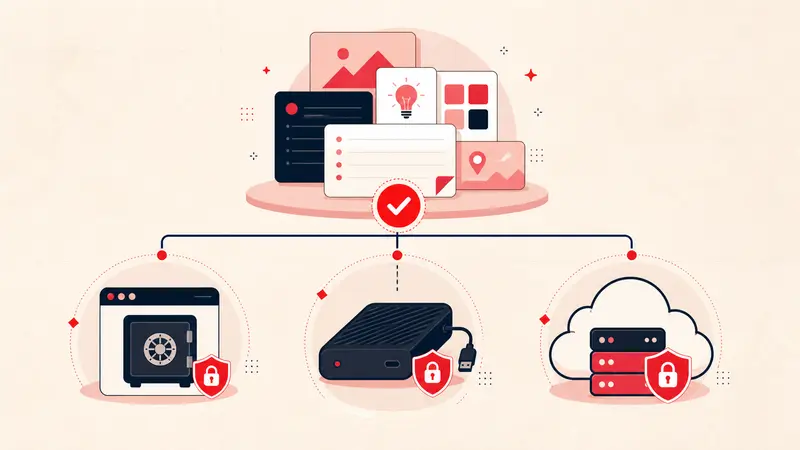
Pinterest does not carry private third-party notes or your reasons for saving a Pin between accounts. Export those annotations first with the Pinterest backup guide, then import or rebuild them in the intended local or cloud workspace.
Run a migration acceptance test
- Sign out of the old account.
- Open every destination board from the new profile.
- Check privacy, sections, covers, and collaborators.
- Open a sample of old and recent Pin links.
- Verify the destination owns any board that must survive independently.
- Keep the old account active through a review period.
Do not delete first
Closing an account is not a migration tool. Finish and verify the migration, export what you control, update the email plan, and only then decide whether the old account should remain, be deactivated, or be permanently closed.
Keep building your Pinterest system
Continue with the guide that matches your next step:

Get the Notestopin Chrome extension
Add private notes to any Pin, tag them, and search your saves later.
Add to Chrome