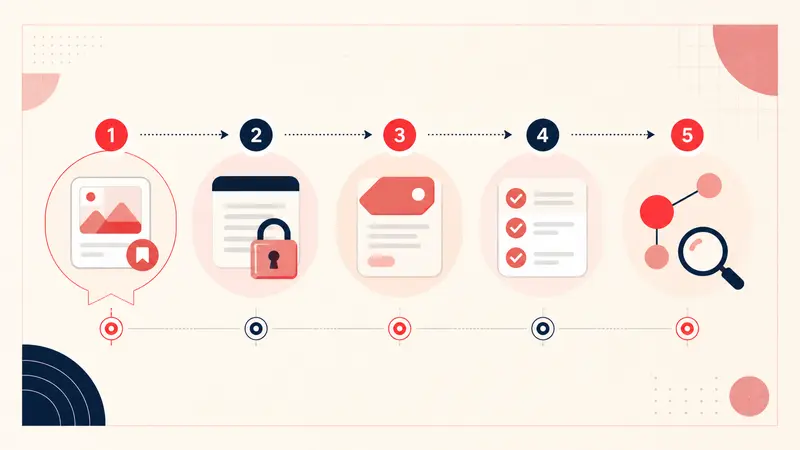
This tutorial builds the smallest useful Chrome Manifest V3 prototype: a private textarea mounted on Pinterest Pin pages, keyed by the numeric Pin ID, and saved in chrome.storage.local. It is intentionally a prototype, not a production-ready clone of Pinterest's former notes.
Pinterest's DOM can change without notice. Keep selectors isolated, avoid imitating Pinterest's protected branding, and test across the page types and locales you support.
1. Create the Manifest V3 extension
Create a folder with manifest.json and content.js. Chrome's manifest reference is the source of truth for available keys.
{
  "manifest_version": 3,
  "name": "Pin Context Prototype",
  "version": "0.1.0",
  "description": "Save a private local note for a Pinterest Pin.",
  "permissions": ["storage"],
  "content_scripts": [{
    "matches": ["https://*.pinterest.com/*"],
    "js": ["content.js"],
    "run_at": "document_idle"
  }]
}
The host match is broad because Pinterest uses client-side navigation. If your feature supports fewer routes or country domains, narrow and document that scope.
2. Derive a stable key from the Pin URL
Do not key notes by a card's position or visible title. Extract the numeric ID from a canonical /pin/…/ path and return null everywhere else.
function getPinId(url = location.href) {
  try {
    const { pathname } = new URL(url);
    const match = pathname.match(/\/pin\/(\d+)\/?/);
    return match ? match[1] : null;
  } catch {
    return null;
  }
}
Test valid detail URLs, query strings, non-Pin pages, malformed URLs, and any locale patterns you claim to support. Never silently attach a note when the ID is uncertain.
3. Store a versioned record
Keep the schema explicit so future migrations are possible:
async function readNote(pinId) {
  const key = 'pin-note:' + pinId;
  const result = await chrome.storage.local.get(key);
  return result[key] ?? { version: 1, pinId, text: '', updatedAt: null };
}

async function writeNote(pinId, text) {
  const key = 'pin-note:' + pinId;
  const record = {
    version: 1,
    pinId,
    text,
    updatedAt: new Date().toISOString()
  };
  await chrome.storage.local.set({ [key]: record });
  return record;
}
Chrome documents a default 10 MB limit for storage.local, with a separate unlimitedStorage permission for increasing it. Chrome also documents that local extension storage is cleared when the extension is removed. Read the current Storage API documentation and design export before inviting important data.
4. Mount an isolated, accessible editor
A Shadow DOM reduces accidental style collisions. The example appends to the page body so it does not depend on a brittle Pinterest class name:
async function mountEditor(pinId) {
  if (document.querySelector('[data-pin-context-root]')) return;

  const host = document.createElement('aside');
  host.dataset.pinContextRoot = '';
  host.setAttribute('aria-label', 'Private Pin note');
  document.body.append(host);

  const root = host.attachShadow({ mode: 'open' });
  const label = document.createElement('label');
  label.textContent = 'Private note';
  const editor = document.createElement('textarea');
  editor.id = 'pin-note-editor';
  label.htmlFor = editor.id;
  editor.setAttribute('aria-label', 'Private note for this Pin');
  const status = document.createElement('span');
  status.setAttribute('role', 'status');

  const saved = await readNote(pinId);
  editor.value = saved.text;
  root.append(label, editor, status);
  bindAutosave(editor, status, pinId);
}
Create interface text with textContent, not untrusted innerHTML. Add visible focus styles, sufficient contrast, a real label, keyboard access, and status text that does not steal focus.
5. Save without writing on every keystroke
function bindAutosave(editor, status, pinId) {
  let saveTimer;
  editor.addEventListener('input', () => {
    status.textContent = 'Unsaved';
    clearTimeout(saveTimer);
    saveTimer = setTimeout(async () => {
      try {
        await writeNote(pinId, editor.value);
        status.textContent = 'Saved locally';
      } catch (error) {
        console.error('Pin note save failed', error);
        status.textContent = 'Could not save';
      }
    }, 400);
  });
}
For production, also flush pending input on page transition, protect against two tabs overwriting each other, define a maximum note size, and surface quota errors.
6. Handle Pinterest's client-side navigation
A one-time page-load handler misses navigation between feed and detail views. Use an idempotent reconciliation function and observe changes without remounting on every mutation:
let scheduled = false;

async function reconcile() {
  scheduled = false;
  const pinId = getPinId();
  const existing = document.querySelector('[data-pin-context-root]');
  if (!pinId) {
    existing?.remove();
    return;
  }
  if (existing?.dataset.pinId === pinId) return;
  existing?.remove();
  await mountEditor(pinId);
  const mounted = document.querySelector('[data-pin-context-root]');
  if (mounted) mounted.dataset.pinId = pinId;
}

new MutationObserver(() => {
  if (scheduled) return;
  scheduled = true;
  requestAnimationFrame(reconcile);
}).observe(document.documentElement, { childList: true, subtree: true });

reconcile();
A production version should also watch navigation state directly where possible and disconnect observers it no longer needs. Profile the code on long feeds; a correct feature that degrades page performance is still a bad extension.
7. Respect Manifest V3 security constraints
Manifest V3 prohibits remotely hosted executable code. Bundle executable JavaScript with the extension, keep the default content security policy unless you have a justified change, avoid dynamic code execution, and request only the permissions the feature requires. Chrome's Manifest V3 overview explains the platform model.
8. Add the features a real product needs
- JSON export/import with schema validation and conflict handling;
- human-readable export for recovery;
- search and optional tags;
- storage-use and quota reporting;
- deletion per note and for all data;
- a privacy policy that matches observable behavior;
- migration tests between schema versions;
- clear uninstall and no-sync warnings;
- error telemetry only with careful minimization and disclosure.
9. Test the failure paths
- Load the unpacked extension from
chrome://extensions. - Visit a feed, a board, a Pin detail page, and a non-Pin route.
- Navigate between two Pins without a reload and confirm note isolation.
- Open the same Pin in two tabs and test conflict behavior.
- Disable storage or simulate quota failure and verify the warning.
- Export, remove a test record, and restore it.
- Test keyboard navigation, zoom, screen-reader labels, and dark/light page conditions.
The engineering lesson
The textarea is the easy part. A trustworthy Pinterest extension depends on stable identity, resilient lifecycle handling, accessible UI, constrained permissions, documented storage, and a tested exit path. Build those qualities before expanding the feature list.
Keep building your Pinterest system
Continue with the guide that matches your next step:

Get the Notestopin Chrome extension
Add private notes to any Pin, tag them, and search your saves later.
Add to Chrome