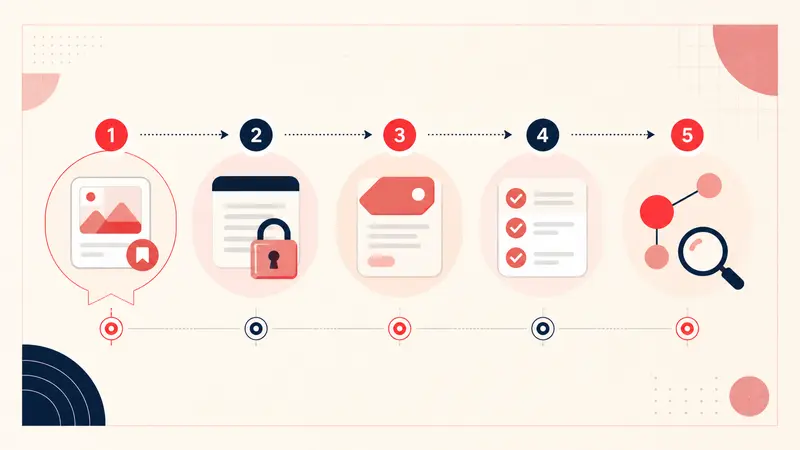
Verified August 31, 2026: these Chrome extensions cover six different Pinterest jobs: saving, annotating, downloading an authorized image, sampling color, checking keywords, and polishing copy. You probably do not need all six.
This is a task-based comparison, not a ranking by store stars. Listings, permissions, prices, and features change, so inspect the current Chrome Web Store page before installing. Disclosure: Notestopin is included because this article is published by the Notestopin team.
How the tools were evaluated
Each recommendation had to have a live Chrome Web Store listing on the verification date and solve a distinct Pinterest workflow. We considered publisher identity, update recency, permission scope, data disclosure, and whether a simpler built-in Pinterest feature already performs the job.
1. Save to Pinterest: save web images to boards
Save to Pinterest is Pinterest's official browser extension. It is the first choice when the job is simply saving an image from another site to Pinterest.
- Useful for: adding source-page images to a board without opening Pinterest first.
- Check first: confirm the publisher is Pinterest and review the current site-access request.
- Not for: adding private reasoning, bulk image archiving, or managing a research database.
2. Notestopin: attach private context to Pins
Notestopin adds searchable notes and tags tied to Pinterest Pin IDs in the desktop browser. It supports a local workspace with Markdown and JSON export, plus an optional separate account workspace for Cloud Sync. Creating an account does not upload existing local notes; moving them requires an explicit merge.
- Useful for: constraints, decisions, recipe changes, project status, and other context the public Pin does not contain.
- Check first: local notes do not move between devices automatically and are cleared if the extension is removed, so export them. Cloud Sync applies to account notes and supported apps; confirm which workspace you are using before adding or merging sensitive notes.
- Not for: real-time team collaboration or recovering Pinterest notes that were never captured or exported.
3. Image Downloader: collect images you may lawfully keep
Image Downloader can expose downloadable images on a page and filter them by dimensions or type.
- Useful for: downloading your own assets, licensed reference files, or images whose terms permit download.
- Check first: a technical download button is not copyright permission. Preserve creator and source information.
- Not for: copying entire boards or republishing other people's images.
4. ColorZilla: sample a visible color
ColorZilla provides an eyedropper, color history, and related web-design utilities.
- Useful for: capturing an approximate on-screen color while building a palette.
- Check first: photographed color changes with lighting, editing, display calibration, and compression. Do not treat a sampled pixel as a paint or material specification.
- Not for: color-critical purchasing without a physical sample.
5. Keywords Everywhere: inspect search-language signals
Keywords Everywhere lists Pinterest among the platforms where it provides keyword-related metrics and suggestions.
- Useful for: comparing the language people may use around a topic before writing a Pin title or article.
- Check first: the listing says Pinterest search-volume data is not part of the free tier. Verify what the current plan actually returns.
- Not for: proving search intent by itself; validate promising phrases against real results and audience questions.
6. Grammarly: review public-facing Pin copy
Grammarly can help revise spelling, clarity, and tone in browser text fields.
- Useful for: a final pass on public Pin titles and descriptions.
- Check first: writing assistants need broad page interaction to work. Review the current permissions and data-use disclosure, and do not enter confidential client details without an approved policy.
- Not for: keyword research, fact-checking, or deciding whether a claim is true.
A minimal extension stack
- Casual saver: Pinterest alone, or Save to Pinterest for off-platform sources.
- Project planner: Save to Pinterest plus a private annotation tool.
- Content publisher: add a keyword-research tool and writing review only when those tasks recur.
- Designer: add ColorZilla when approximate screen sampling is useful; verify final colors elsewhere.
Install one tool per recurring job. Remove extensions you no longer use; every extension increases maintenance and permission surface.
A five-minute safety check
- Open the listing and verify the publisher.
- Read the permissions and privacy disclosure.
- Check the most recent update and support link.
- Install only from the Chrome Web Store.
- Test with non-sensitive data.
- Confirm you can export or recover anything important.
The best Pinterest extension is not the one with the longest feature list. It is the smallest trustworthy tool that removes a repeated step from your actual workflow.
Keep building your Pinterest system
Continue with the guide that matches your next step:

Get the Notestopin Chrome extension
Add private notes to any Pin, tag them, and search your saves later.
Add to Chrome