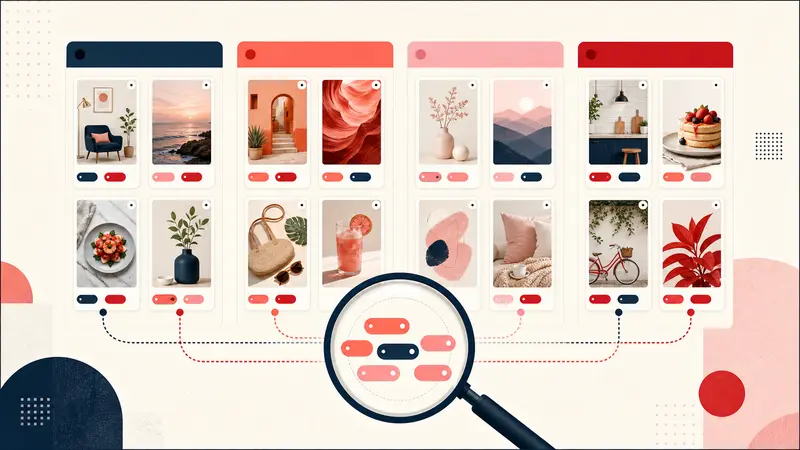
Verified August 31, 2026: Pinterest does not document a single “reset algorithm” button. It does provide controls for the activity, boards, interests, accounts, and AI-content categories that influence recommendations.
The frustration is real: in a March 2026 user discussion, people described old interests overwhelming searches for the opposite style. That report is evidence of user experience, not a diagnosis of Pinterest's ranking system. The reliable approach is to remove known recommendation signals, give consistent feedback, and test whether the feed changes.
Understand what trains the home feed
Pinterest's recommendation settings guide says recommendations are based on saves, searches, browsing activity, boards, interests, and accounts you follow. One accidental click can influence the feed, but a long history of related activity can be a stronger signal.
The home feed, search results, and ads are not one control. Pinterest explicitly says changing recommendation preferences does not change which ads appear.
Use Refine your recommendations
On desktop, open Pinterest's lower-left menu and choose Refine your recommendations. Pinterest currently exposes these areas:
- Activity: turn off recommendations based on viewed Pins.
- AI content: choose categories in which you want fewer AI Pins.
- Boards: stop specific boards from influencing recommendations.
- Interests: remove topics you no longer want.
- Following: review accounts that contribute content.
On mobile, the labels may appear as Pins and GenAI interests. Pinterest says GenAI-interest customization is currently available on desktop and Android, with iOS support still pending as of the verification date.
Turn off noisy board signals
A temporary project can distort a general feed: one costume board, renovation sprint, gift search, or client project may produce weeks of similar recommendations.
- Identify boards that no longer represent your personal interests.
- Disable recommendations from those boards.
- Archive completed boards when appropriate; Pinterest says recommendations are automatically disabled for archived boards.
- Review secret-board settings separately. Pinterest says their recommendations are disabled by default but can be enabled.
Give direct feedback on individual Pins
On the home feed, open the menu on an irrelevant Pin and choose Less like this. Pinterest may also offer More like this for relevant Pins. One response is a weak signal; consistent feedback on a repeated category is clearer.
Do not hate-click, open, or repeatedly inspect content merely to confirm that you dislike it. Browsing activity is one of the signals Pinterest says it uses.
Separate exploration from long-term taste
For research that should not reshape your normal recommendations:
- use a secret or archived project board and keep its recommendation setting off;
- save only genuinely useful candidates instead of every example;
- remove accidental saves promptly;
- use precise search phrases and source filters for one-off work;
- keep private project reasoning in notes rather than encoding every state as a public board.
Private browsing is not a documented “no personalization” mode for an authenticated Pinterest session. Do not assume Incognito makes activity invisible to the account.
Run a controlled 15-minute cleanup
- Screenshot the current feed for comparison.
- Disable five clearly irrelevant activity signals.
- Turn off two obsolete board signals.
- Remove three inaccurate interests.
- Unfollow accounts you no longer want.
- Reduce AI categories where the control is available.
- Mark five unwanted Pins with Less like this.
Then browse normally for several sessions. Pinterest does not publish a guaranteed refresh time, so judge the direction of change rather than expecting an instant clean slate.
If search itself remains irrelevant
Feed controls may improve recommendations without fixing every search result. For search:
- add distinguishing constraints instead of a broad style word;
- use Pinterest's available search filters;
- search your own saved Pins separately when you want your library;
- open the source before saving so low-quality aggregator pages do not become stronger signals;
- record a reproducible query and screenshots if exact opposite results persist.
What cannot currently be promised
You cannot force a complete model reset, remove all ads, guarantee that AI content disappears, or know the weight Pinterest assigns each action. You can control documented inputs and observe the output.
The practical reset
A useful reset is not deleting your whole history. It is turning off the signals that no longer represent you, correcting current interests, and avoiding new accidental feedback. Make a small controlled change, observe, then continue only if the feed moves in the intended direction.
Keep building your Pinterest system
Continue with the guide that matches your next step:

Get the Notestopin Chrome extension
Add private notes to any Pin, tag them, and search your saves later.
Add to Chrome