Write on the Pin
Add a private note without leaving Pinterest.
Write down a recipe change, room measurement, or shopping detail. Search your notes when you need them.
Chrome extensions install on desktop. Open this page on your computer to add Notestopin.
Add a private note without leaving Pinterest.
Find the note from your library or Pinterest search.
Local notes work in desktop Chrome without an account.
Real words from people using Notestopin to bring context back to Pinterest.
“been looking for this, thx!”
“So convenient to be able to leave personal notes on pins again.”
“…has been a game changer.”
Start with a note. Add tags, checklists, or links when you need them.
Write Markdown, format headings, add tags and checklists, preview your note, then Save or Save & close with clear feedback.
When you search Pinterest, matching private notes can appear in their own section—with a settings shortcut if you prefer to turn it off.
Press the link button and search your saved Pins directly inside [[ ]]. See images before linking and follow backlinks later.
Insert checklists in one click, toggle tasks from preview, and open a dedicated Checklists view across your library.
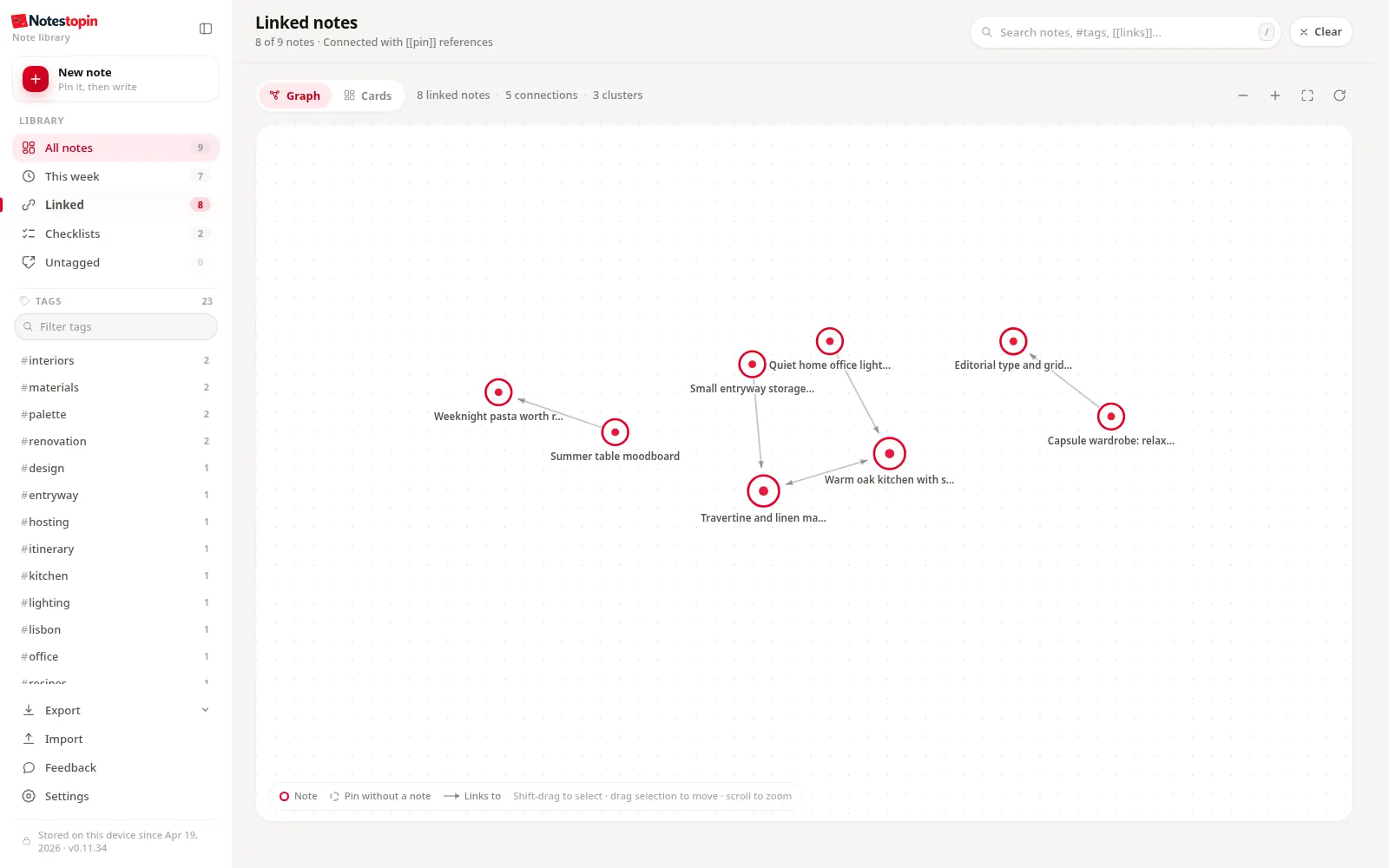
Explore linked notes as a graph. Zoom, pan, inspect media on hover, Shift-drag to select nodes, and move a group together.
Stack tag filters, search instantly, handle video Pins, select on hover, bulk-delete with one confirmation, and export to Markdown or JSON.
Real product screens with sample notes. The same notes are available on Pinterest and in your dashboard.
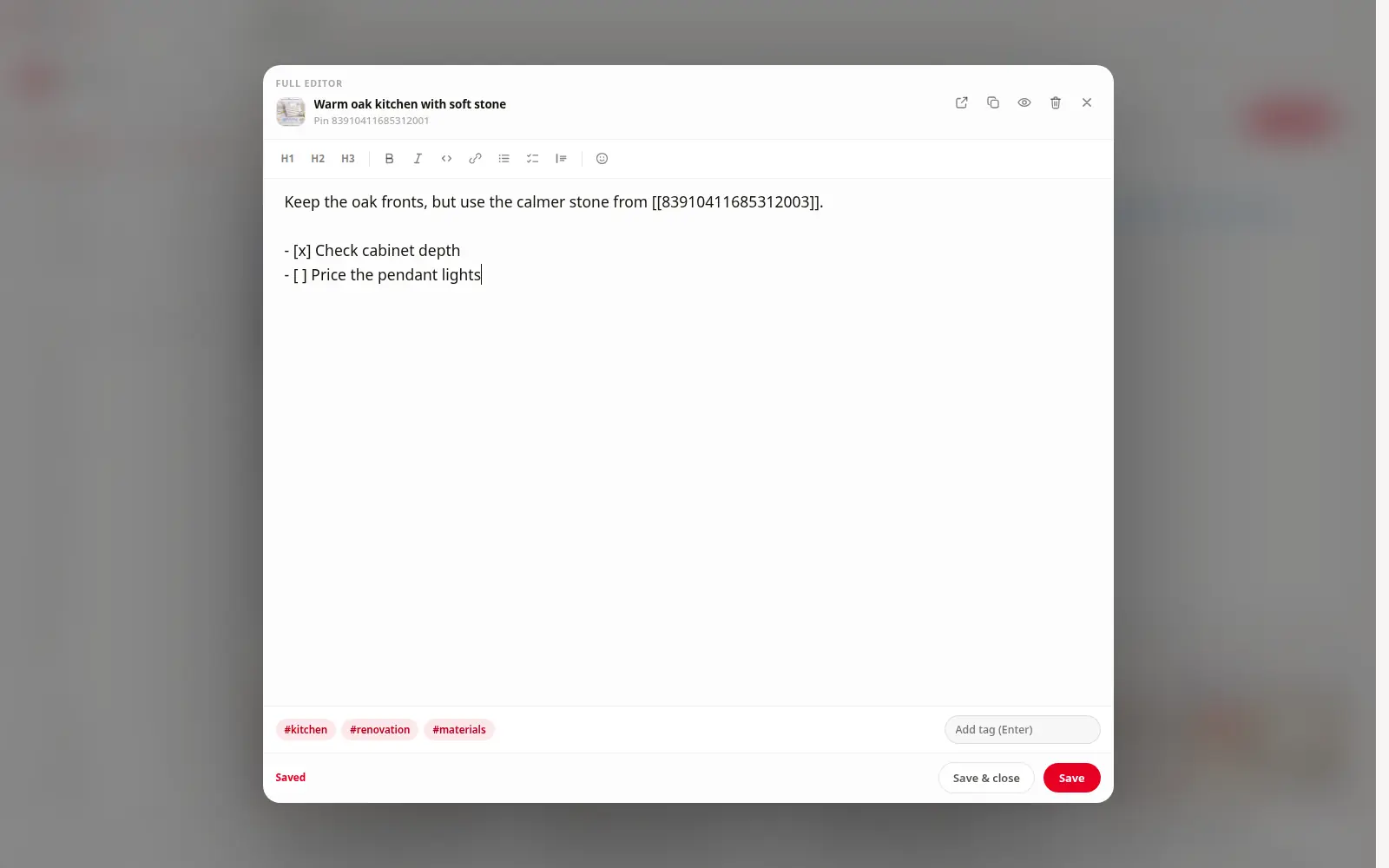
Open any Pin, write what caught your attention, and add the tags or next steps that future-you will need.
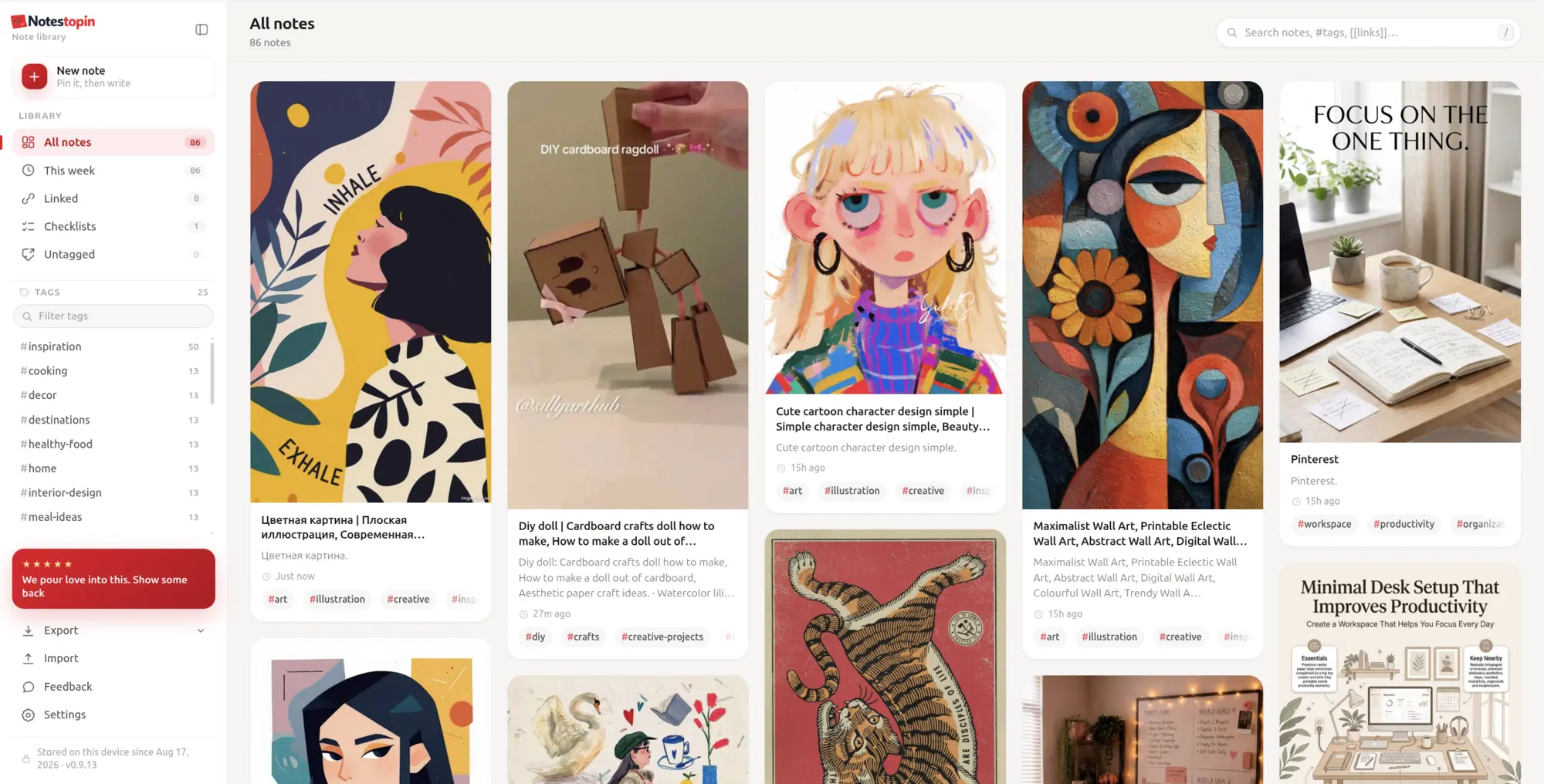
Search words, #tags, and [[links]] from your library—or see matching notes while searching Pinterest.
Connect references, complete checklists, inspect backlinks, and export the result whenever you want.
Creating an account uploads nothing. Enable Sync when you want new notes saved to a separate account workspace, then explicitly merge only the local notes you choose.
Use the native Notestopin Android app, or add “Note this Pin” to the iPhone Share Sheet with an Apple Shortcut. The Pin arrives in a focused editor ready for your context.
Stay local without an account, or choose a paid Cloud plan to sync notes across your devices.Creating an account never uploads local notes. Account notes live in a separate cloud workspace, and local notes move there only when you explicitly confirm a merge.
The extension and this homepage automatically follow your browser language. You can switch at any time.
Install in desktop Chrome. Open Pinterest and write your first note.
Add Notestopin to Chrome For desktop browsers that support Chrome extensions